Setup payout method
Get payments directly to your bank with Stripe
To receive payments directly to your bank account, Onliweb uses secure Stripe integration for managing payouts. Follow these steps to set up your payout method quickly and securely.
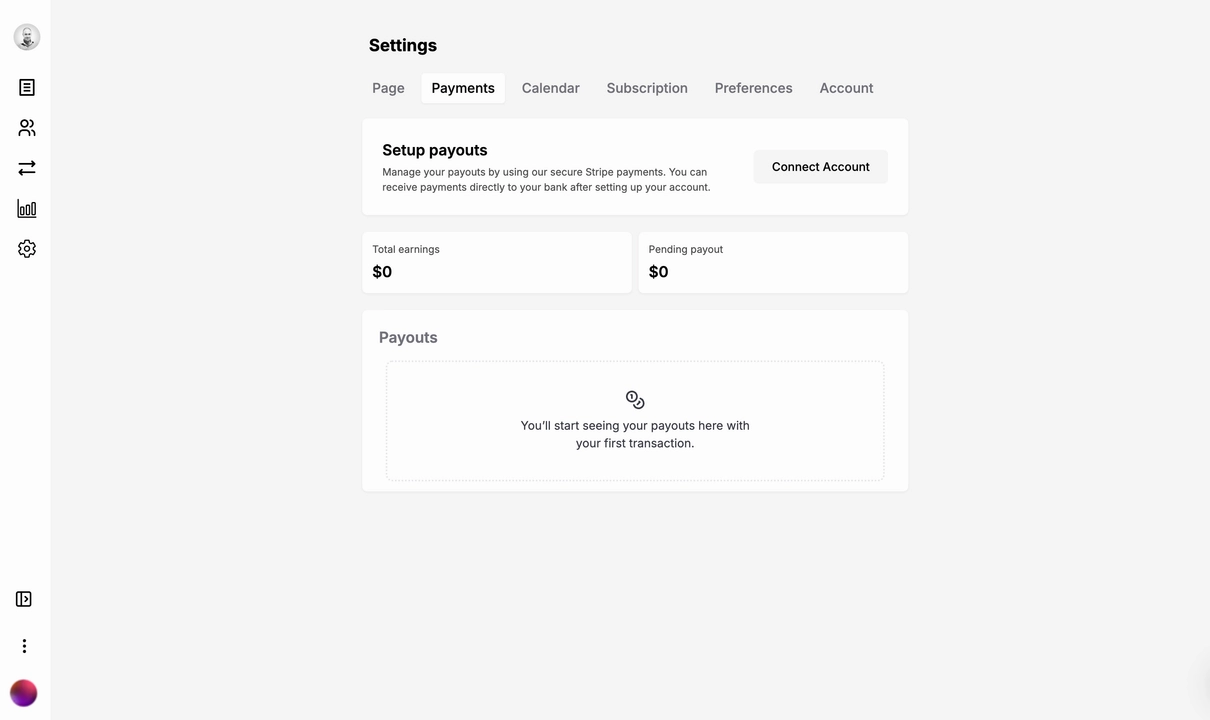
Access Payment Settings
Log in to your Onliweb account.
Go to Settings > Payments.
Click Add Payout Method to begin the setup process.
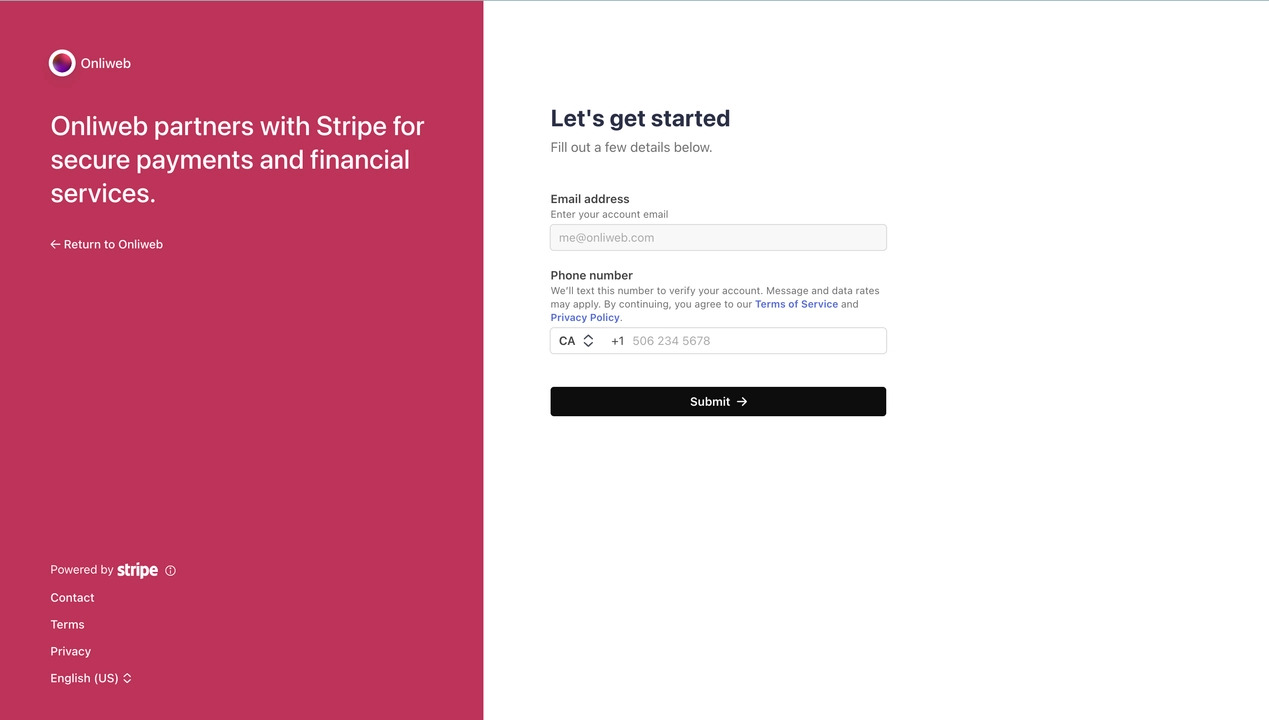
Choose an Account Type
Stripe offers two types of accounts:
Individual Account
Ideal if you're a freelancer, creator, or running a personal business.
Requires basic personal details.
Business Account
Best suited for registered businesses or teams.
Requires your business registration details and tax information.
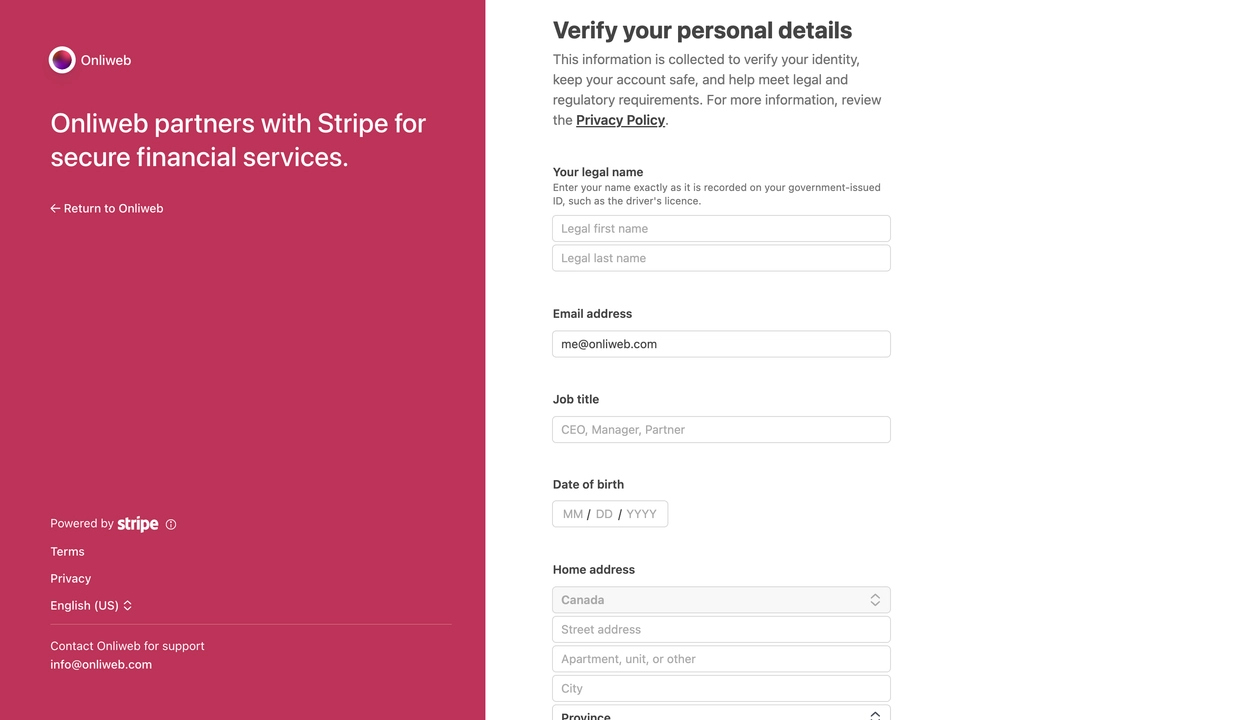
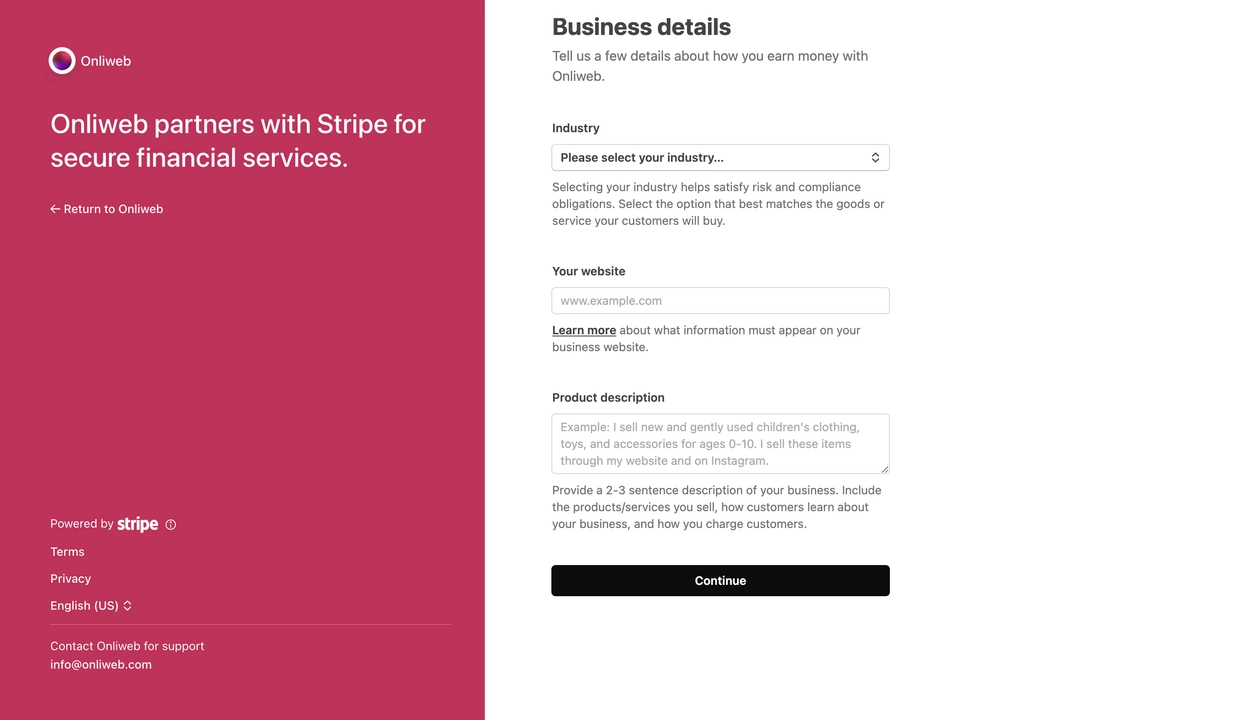
Input Required Information
Stripe will prompt you to fill out specific details based on your account type. Below is a list of input fields with examples:
For Individual Accounts:
Full Name: Your legal name (e.g., John Smith).
Date of Birth: In the format MM/DD/YYYY (e.g., 01/15/1990).
Email Address: Your email (e.g., [email protected]).
Phone Number: Include your country code (e.g., +1 555-123-4567).
Bank Account Information:
Account Holder Name: Matches your bank records (e.g., John Smith).
Bank Name: (e.g., Bank of America).
Routing Number: Your bank’s routing code (e.g., 021000021).
Account Number: Your personal or checking account number (e.g., 123456789).
Tax Information (if required in your country):
Provide your Social Security Number (SSN) or Tax Identification Number (TIN).
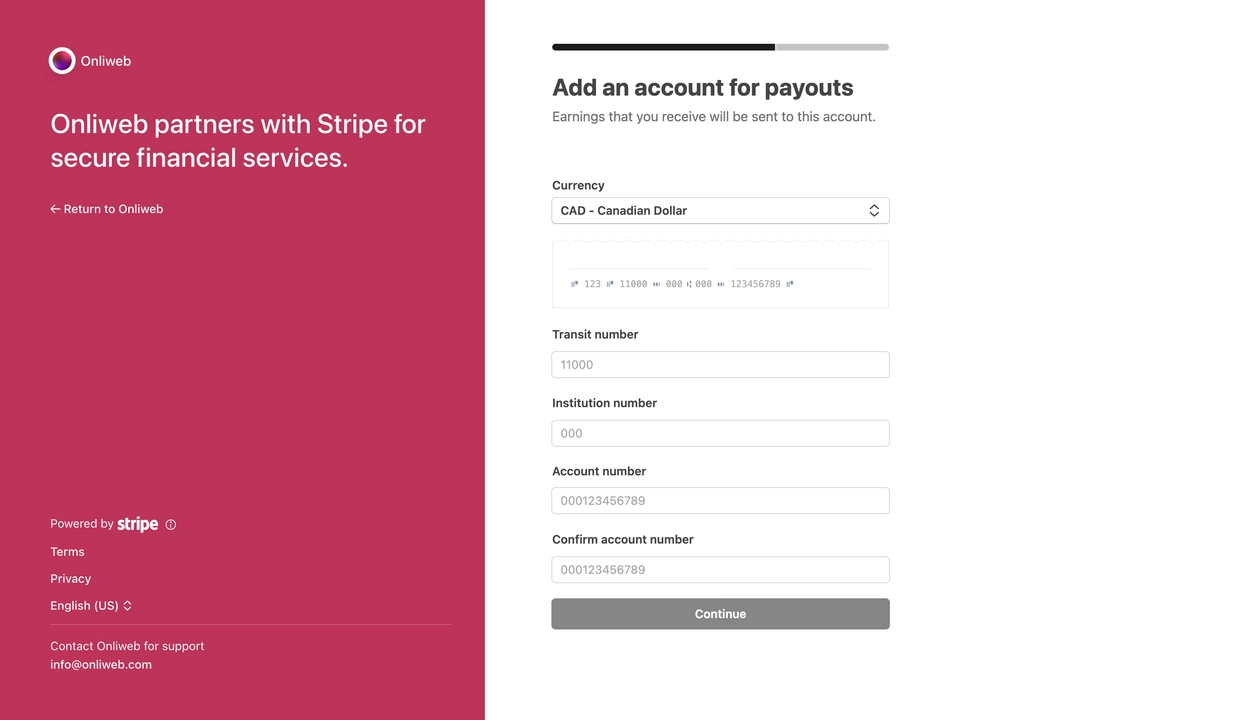
For Business Accounts:
Business Name: Your registered business name (e.g., ABC Digital Co.).
Business Registration Number: Your EIN or equivalent.
Business Type: Select from options like LLC, Corporation, or Sole Proprietor.
Bank Account Information:
Account Holder Name: Should match the business name (e.g., ABC Digital Co.).
Routing Number: Bank’s routing code (e.g., 031101114).
Account Number: Business checking account number (e.g., 987654321).
Business Address: The official address of your business (e.g., 123 Main St, Vancouver, BC, Canada).
Review and Confirm
Double-check all details to ensure accuracy.
Submit the form to connect your Stripe account.
Verify Your Account
Stripe may require additional verification, such as:
A copy of your ID (passport, driver’s license, or national ID card).
Proof of address (utility bill or bank statement).
Follow the instructions provided by Stripe for a smooth verification process.
Start Receiving Payments
Once your Stripe account is verified, you can start receiving payouts directly to your bank account. Payouts are processed automatically based on Stripe’s schedule, typically within 2-7 business days depending on your location.
Tips for a Smooth Setup
Accurate Information: Ensure all details match your legal or business records to avoid delays.
Verify Early: Complete Stripe’s verification process as soon as possible to activate payouts.
Keep Your Details Updated: Update your payout details if you change banks or business structures.
By setting up your payout method with Stripe, you ensure secure and reliable payment transfers. Start earning confidently with Onliweb!