Bewell - HealthTech App
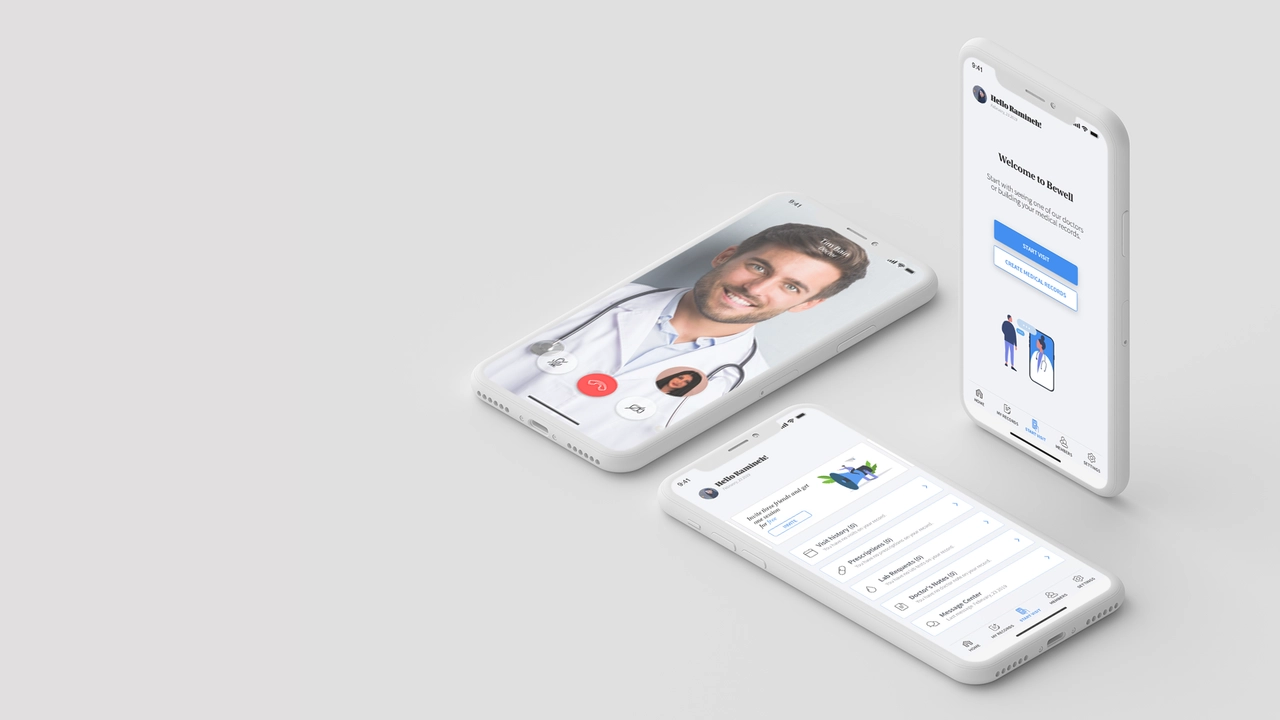
Connect with doctors across Canada for medical care for you and your family from anywhere and at any time using your computer or phone device.
My Role
UX/UI Designer
Platform
Mobile iOS and Desktop Application
Tools
Adobe Illustrator, Adobe XD, Mindmeister, Photoshop, Miro
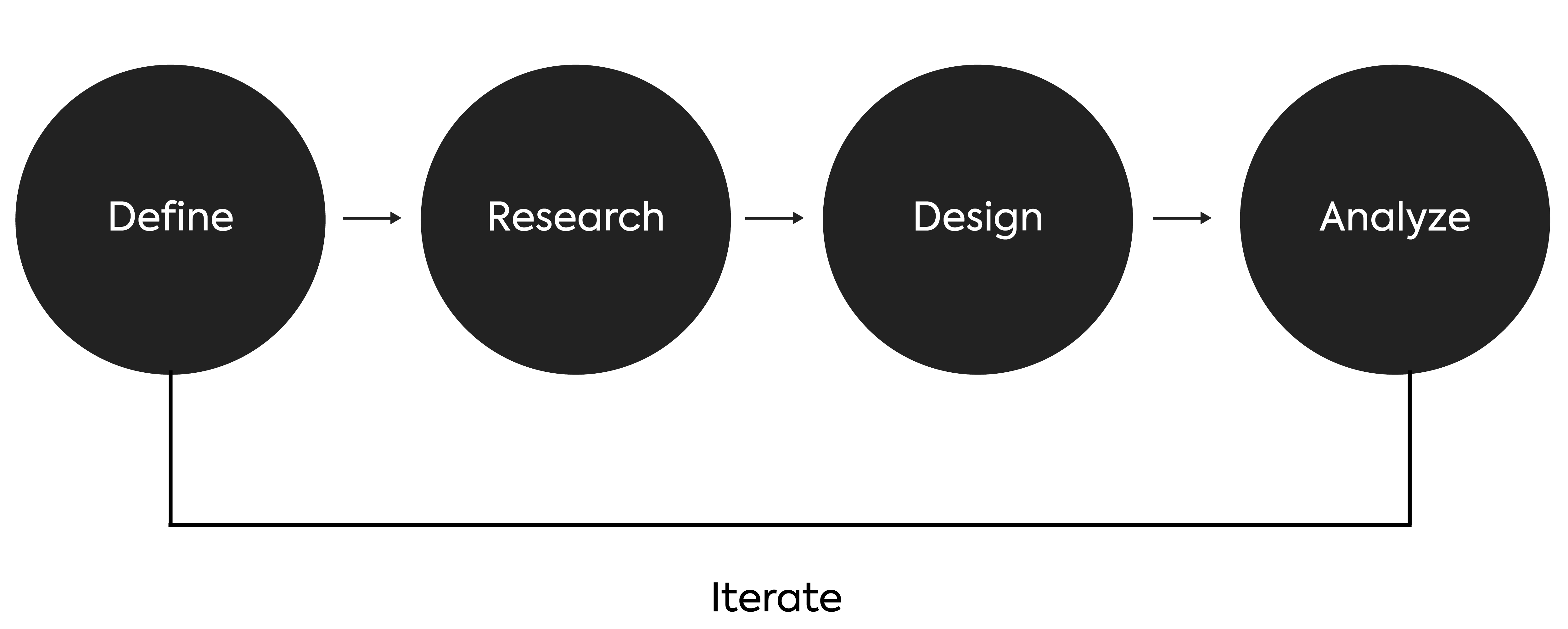
Process
Problem Statement
Patients who live in remote locations, or who have disabilities or just can't take time off from work have a hard time going to the clinics or emergency rooms to see a doctor.
Assumptions
People are looking for more convenient and comfortable way to see their doctor.
People are looking for a service that is quick and professional and saves hours spent in a walk-in-clinics.
Competitor Analysis
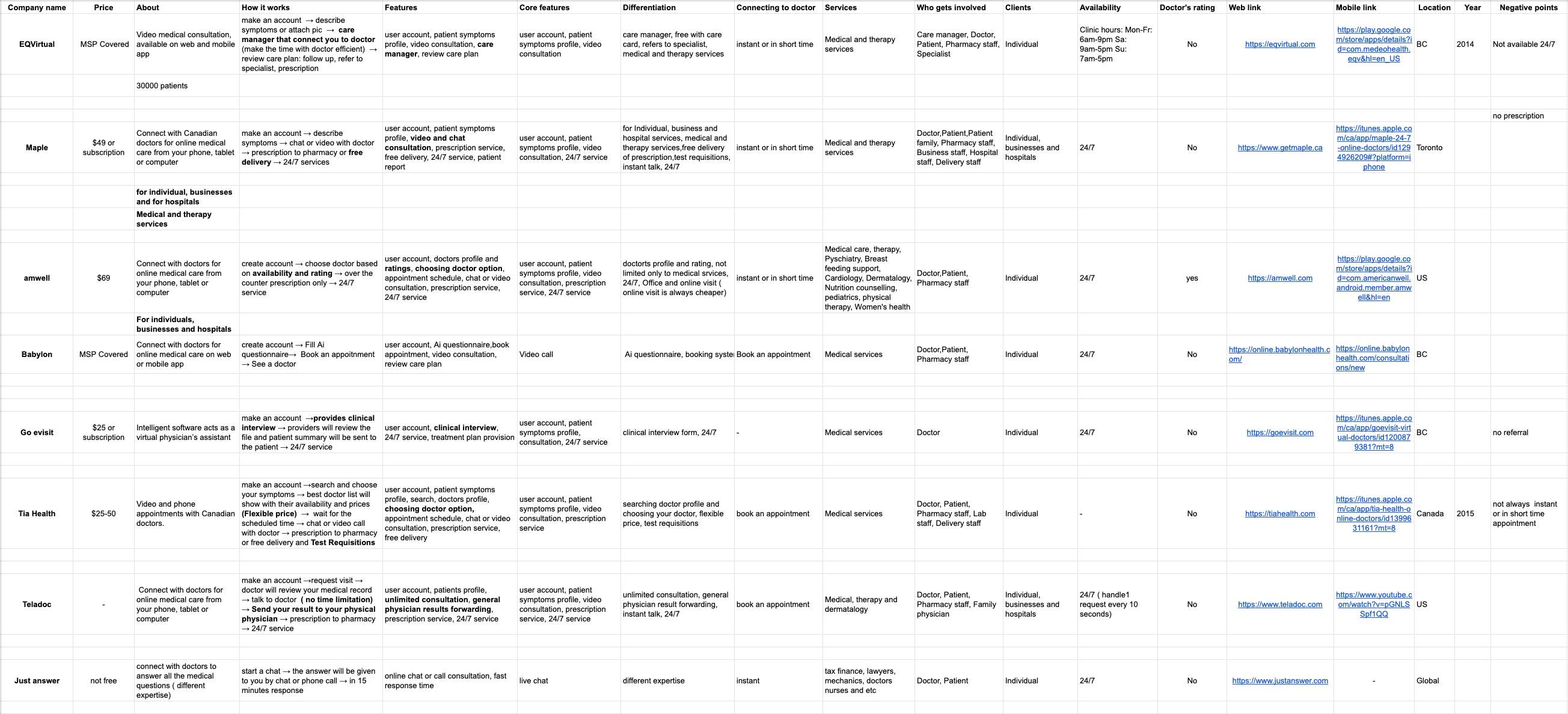
Telemedicine and virtual doctor visit is not a fresh-new concept. In fact there are many web and mobile applications provide access care when and where the patient wants. After checking the market and breaking down and analysing their features and business model, 4 of them stood out ( EQ Virtual, Maple, Amwell and Babylon by Telus Health).
User Interview and Survey
To have a better understanding of the potential user and validating our assumptions, I interviewed people by going through multiple questions and sending out surveys.
Questions
Are consumers comfortable sharing personal health and medical information and history for a better experience?
Are consumers willing to pay for more convenient service?
Are consumers interested in receiving recommendations about doctors automatically through their computer or mobile device?
Do consumers prefer easy access to healthcare services over in person interaction with doctors?
Target Audience
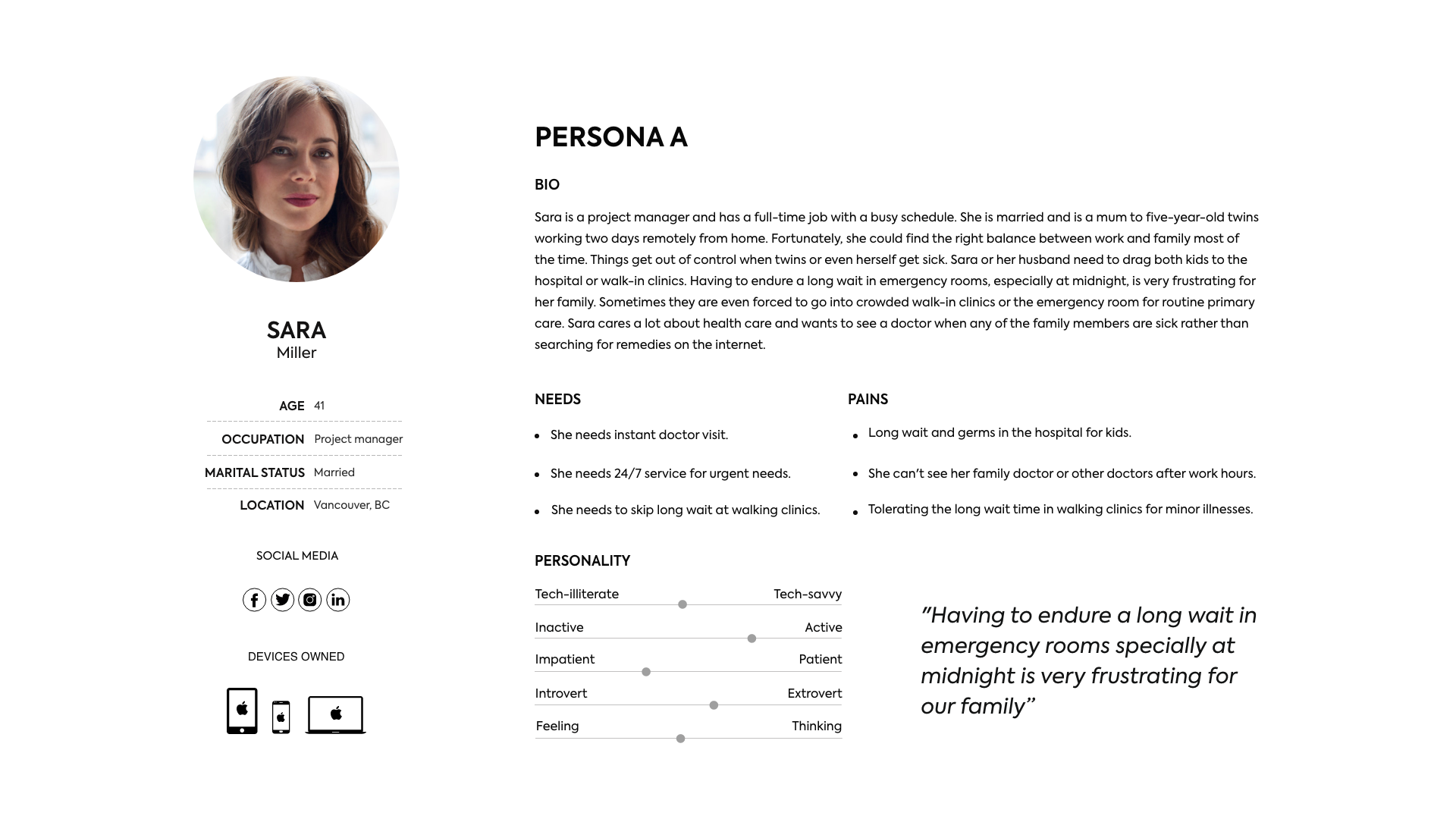
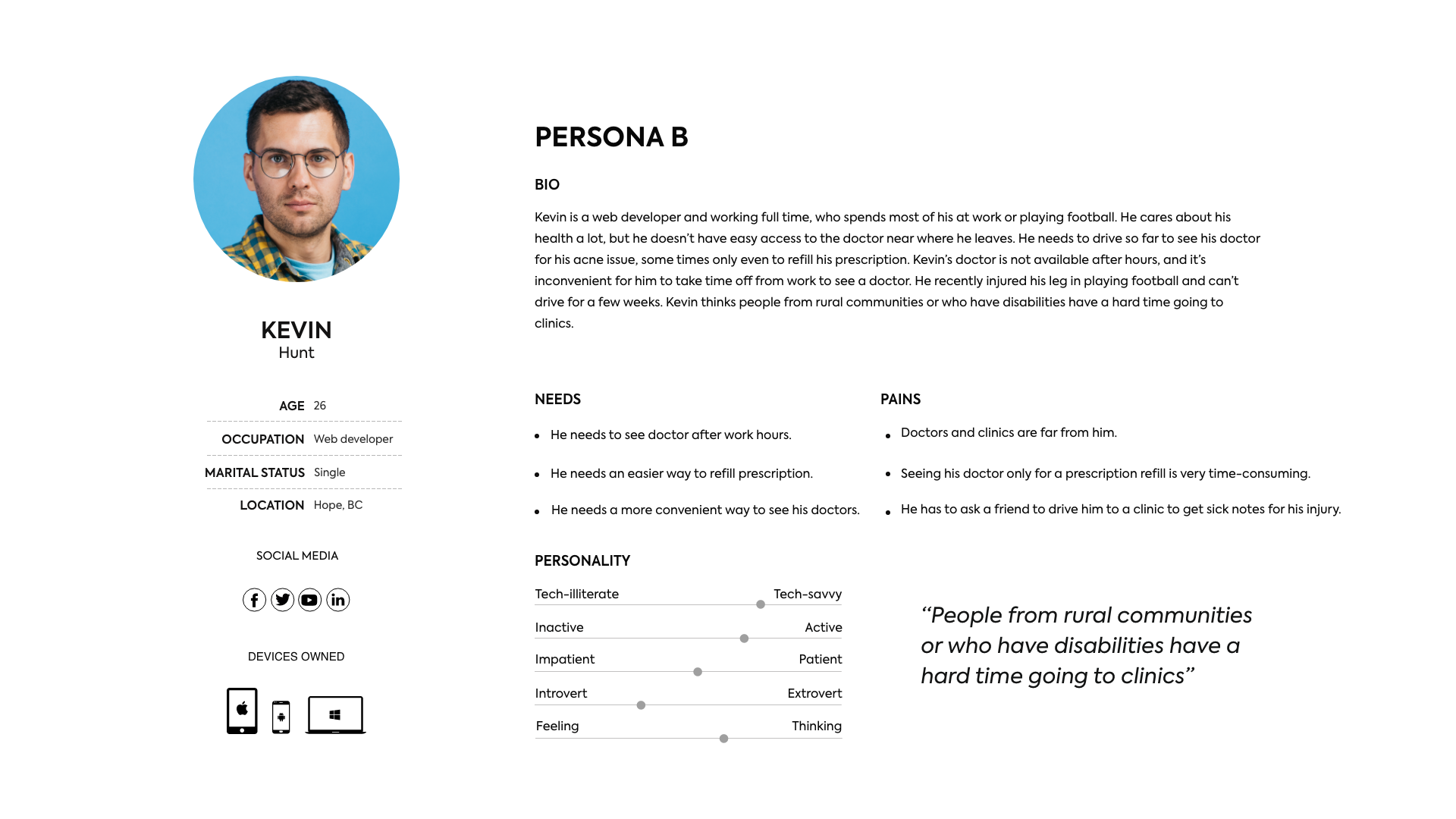
The target audience is people living in British Columbia age between 20-50 years old who are comfortable using technology and telemedicine and looking for alternative way to access medical care. The primary persona ‘Sara’ was created by analyzing the target group. The secondary persona ‘Kevin’ was designed to cover more aspects of the audience.
User stories
I worked on the core user stories to define user needs based on pain points in context of use. With this, I was able to focus on the main user needs and designed the product experience flows around these.
User stories defines user goals and helps to create a simplified description of user's need. Here are some user stories to define the features of the app.
As a user,
I want to see a doctor from home or any other convenient place so I can skip long wait at clinics and emergency rooms.
I want to see a doctor instantly so that I can get back to my routines fast.
I want my prescriptions to deliver to my close by pharmacy or home so I can feel healthy and better faster and save time.
I want health care related reminders so I can have a better control on my health care.
I want someone assist me with account concerns or difficulties, so I can have the best experience using this application.
I want to add other members of my family profile to my account so that I can see a doctor on their behalf.
I want to have a record of my doctor visits including doctor notes, prescriptions and etc so that I can have access to them at any time.
User Journey
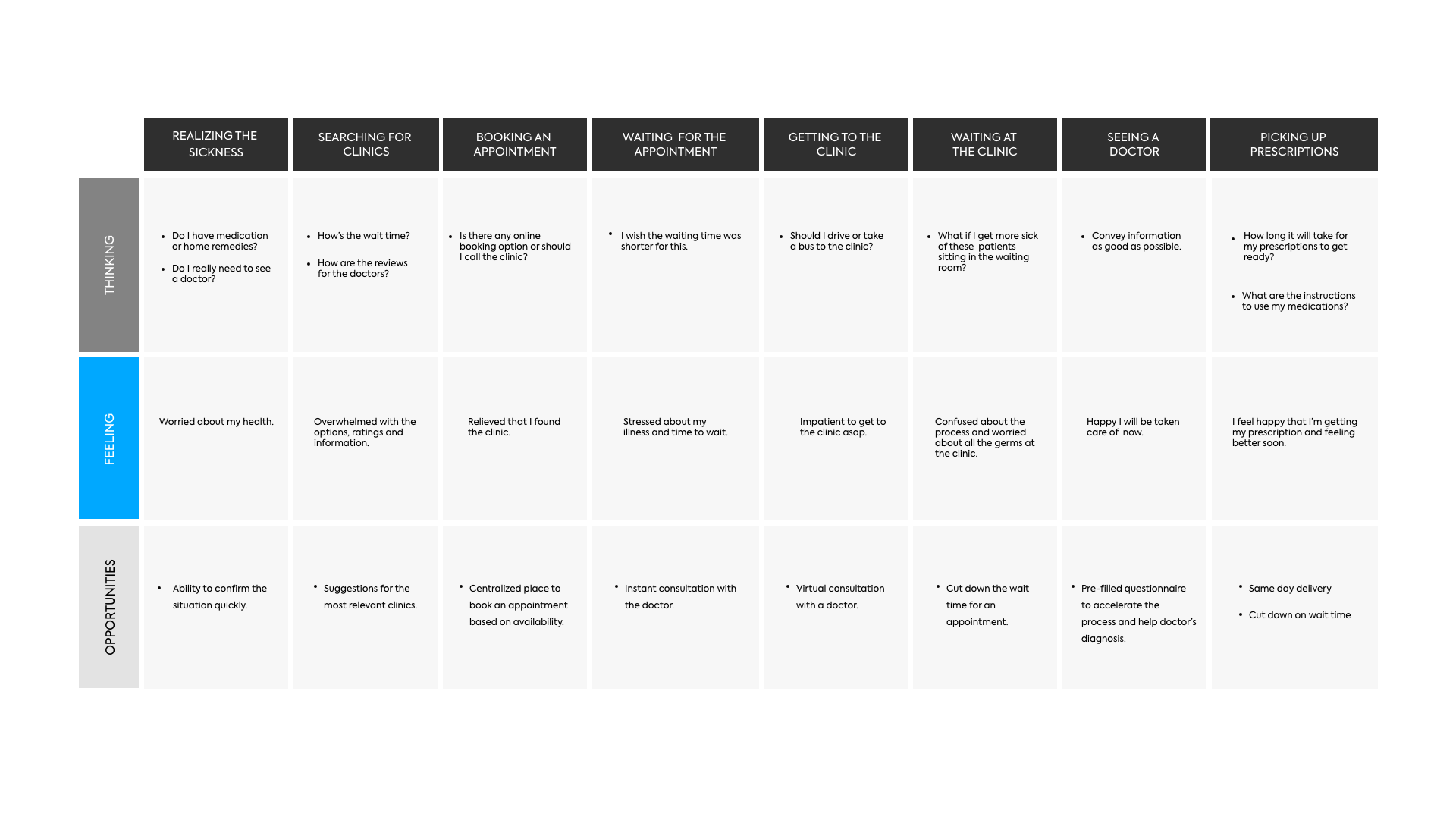
I worked on the user journey to understand a user's context in terms of their thinking, feeling and possible opportunities. With this, I created a linear scenario that our target persona goes through.
Information Architecture
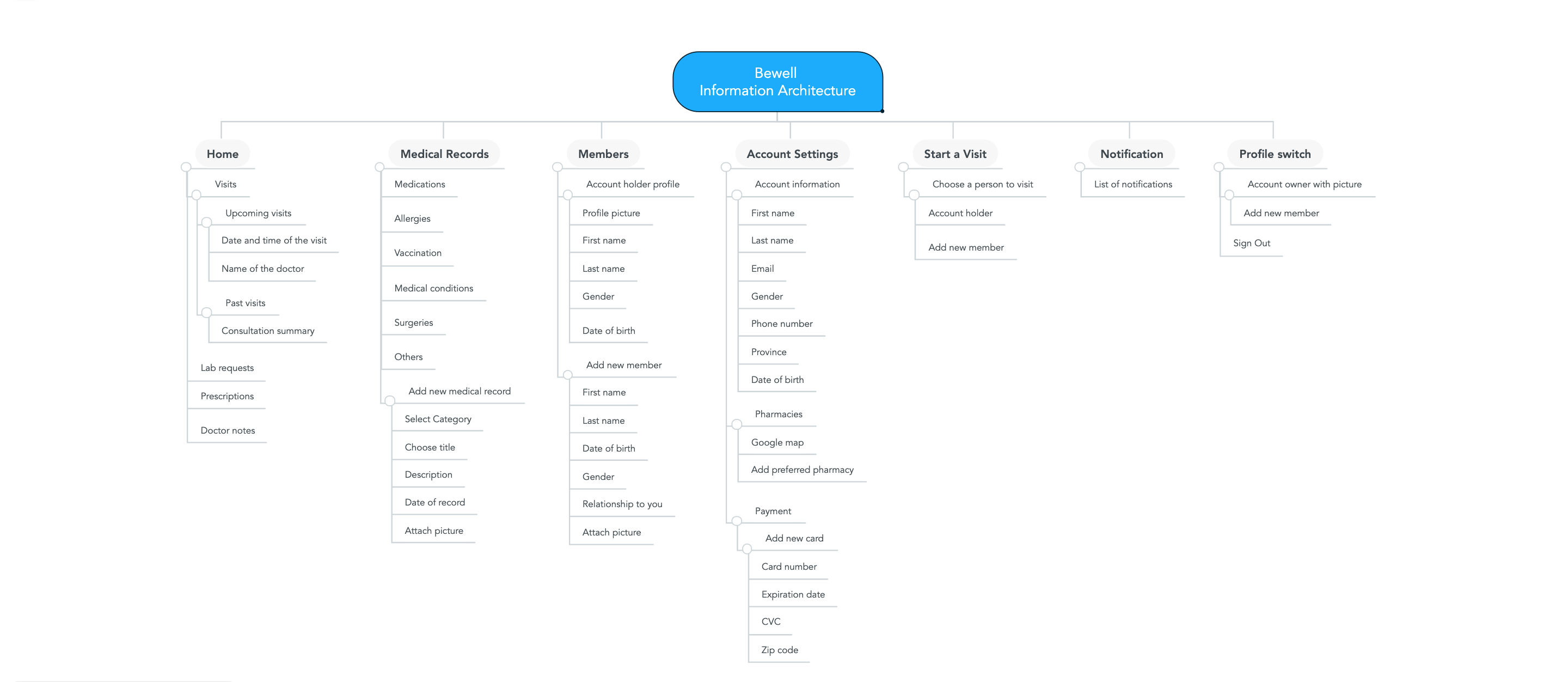
I worked on the information architecture for organization, structuring, and labeling of content in an effective and sustainable way. The goal here was to help users find information and complete tasks easily.
For this, I used card sorting experiment with a small group of users to create a defined hierarchy using mindmeister.
Task Flow
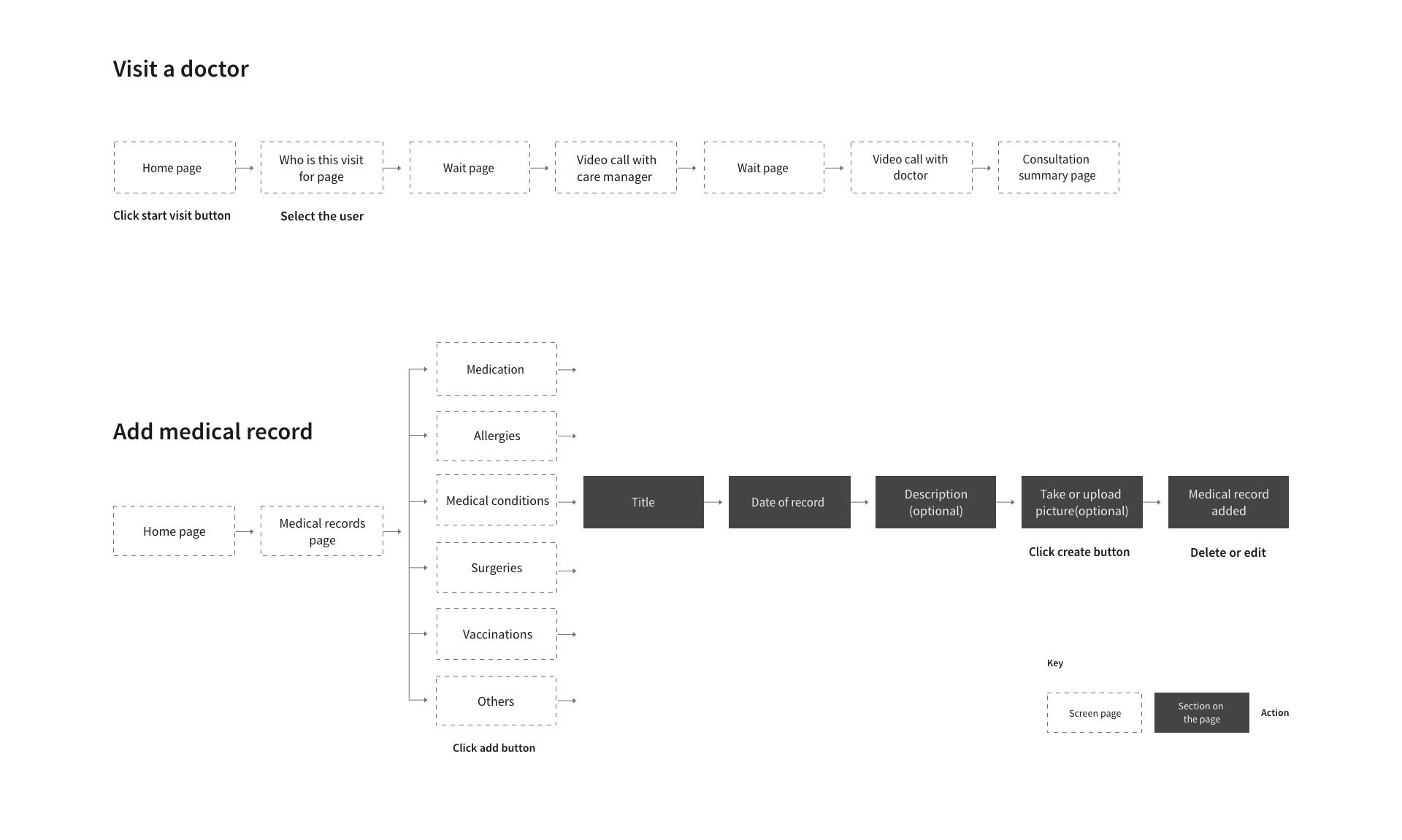
Among the considerable user stories, " Visit a doctor" and " Add medical record" were selected as the core mechanics of the MVP (minimum viable product).
Task flow was drafted around the core use case of the product and all user flow scenarios were considered for this for the initial version.
Wireframes
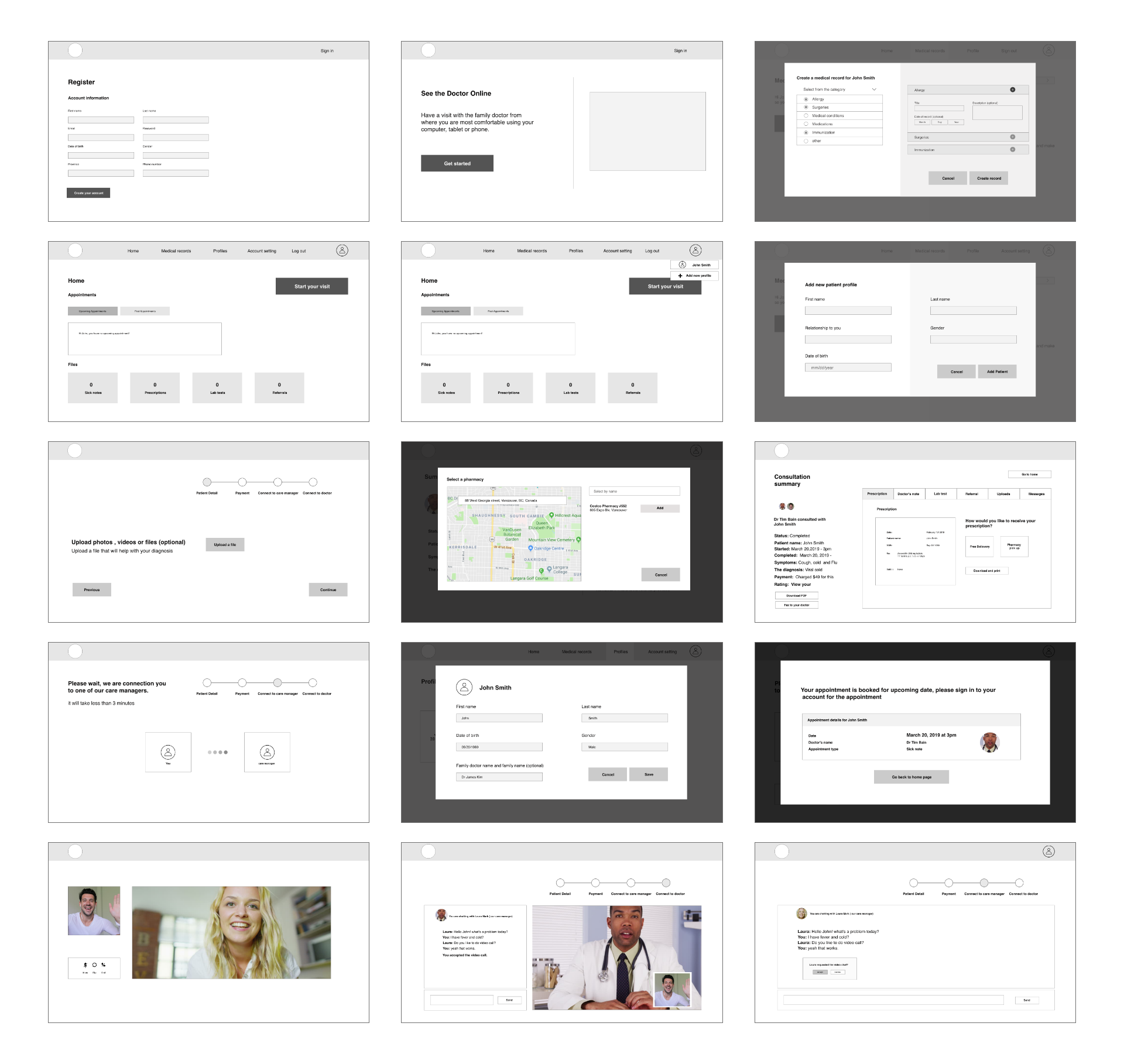
I started with the brainstorm sessions on white board, which I converted to paper sketches. From there, I created digital wireframes for the initial user testing. The fidelity was low without any color use so that users can only focus on the structure and the flow for functionality testing.
Style Guide
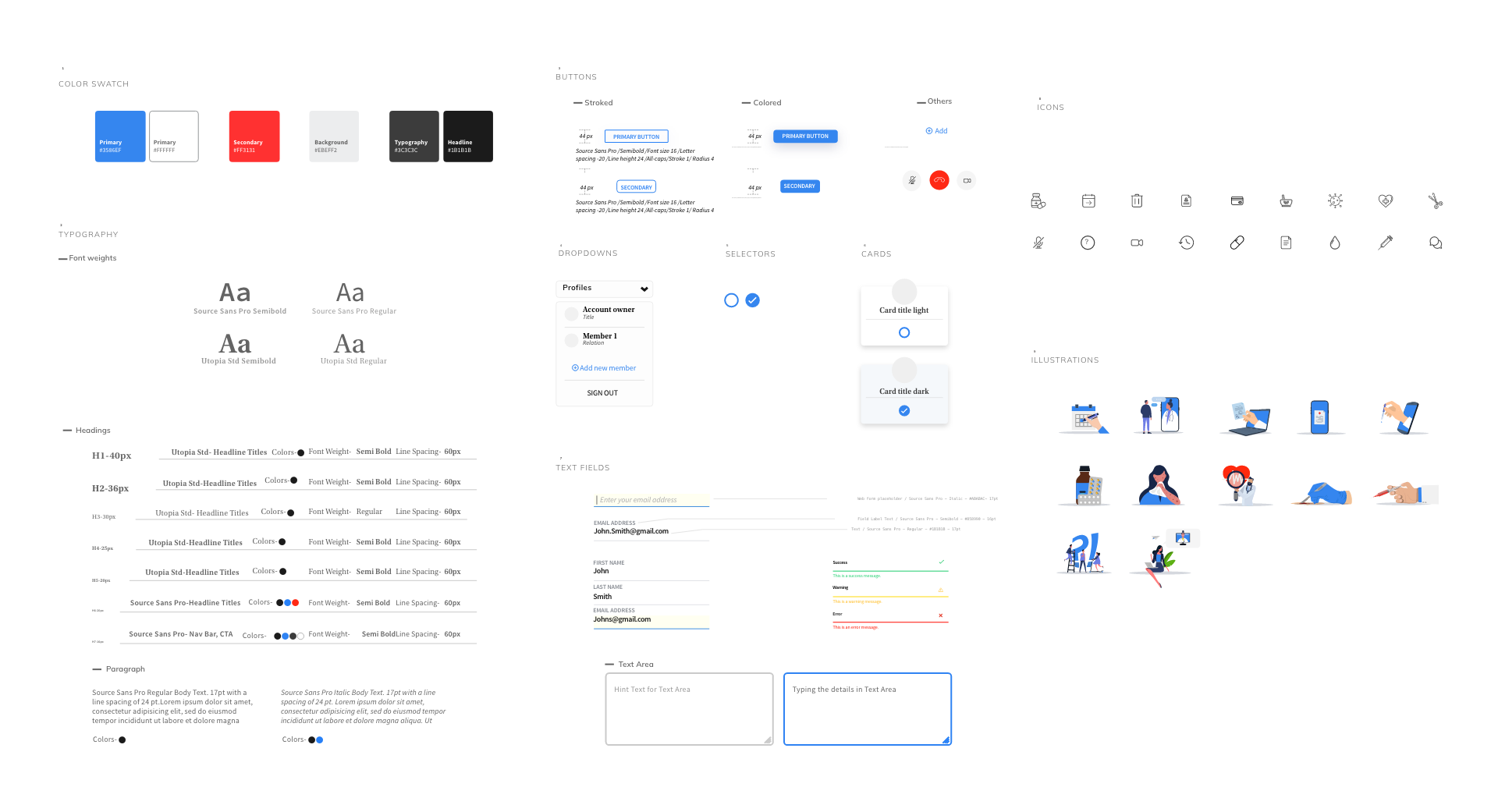
Style guide is essential for keeping consistent framework for any product, thus I worked on a comprehensive style guide for both mobile and desktop application.
I kept the colors, typography, forms, icons, components and illustrations follow minimal design concept to keep the overall aesthetics uniform.
Landing Page
I worked on the basic landing page for Bewell with a simple goal to provide information on what the product does and with clear call to actions for users to sign up for their account.
This was a fun task as it consolidated the overall solution that Bewell provides to the user as well as test the style guide framework implementation.

Design Components
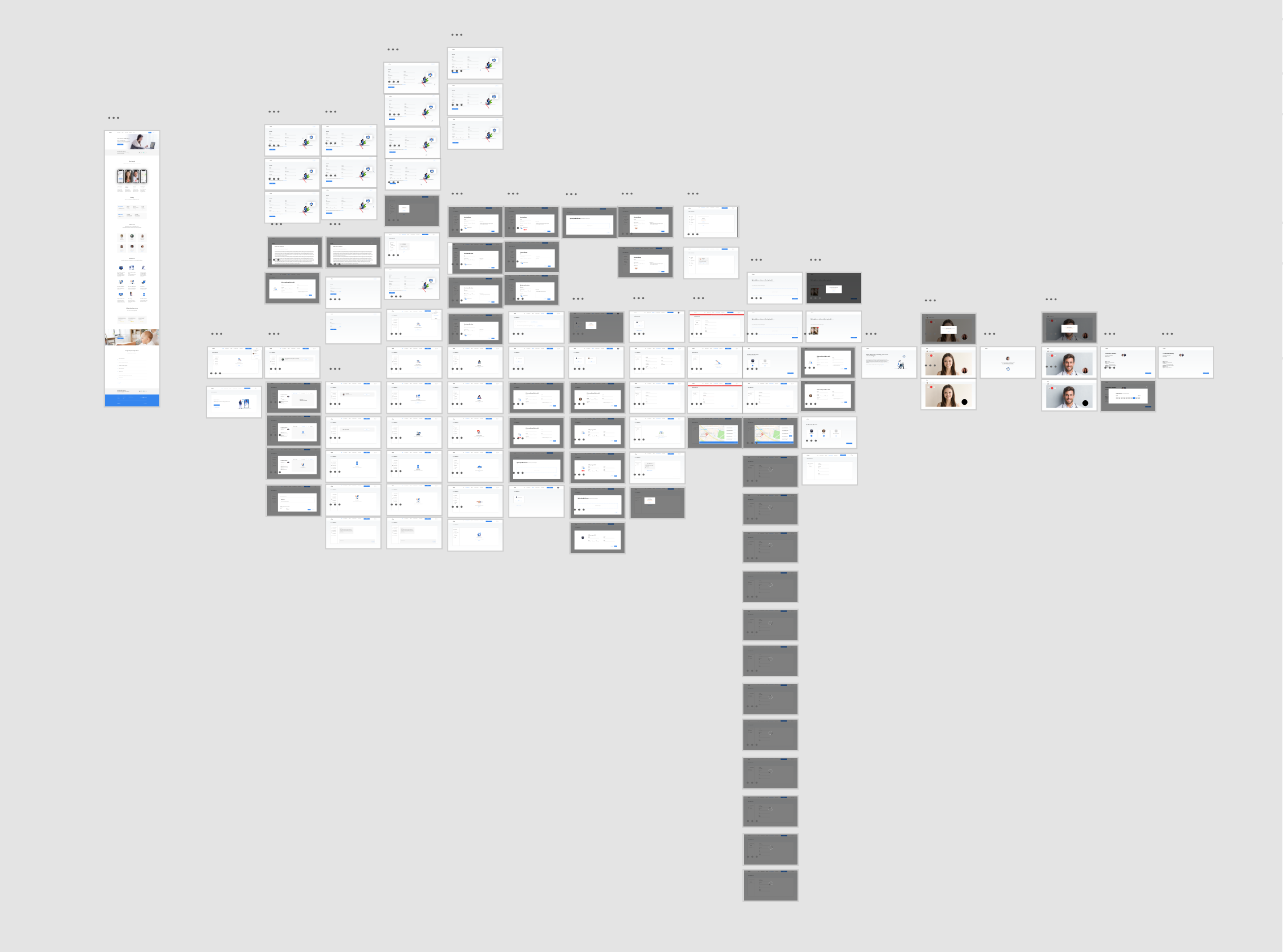
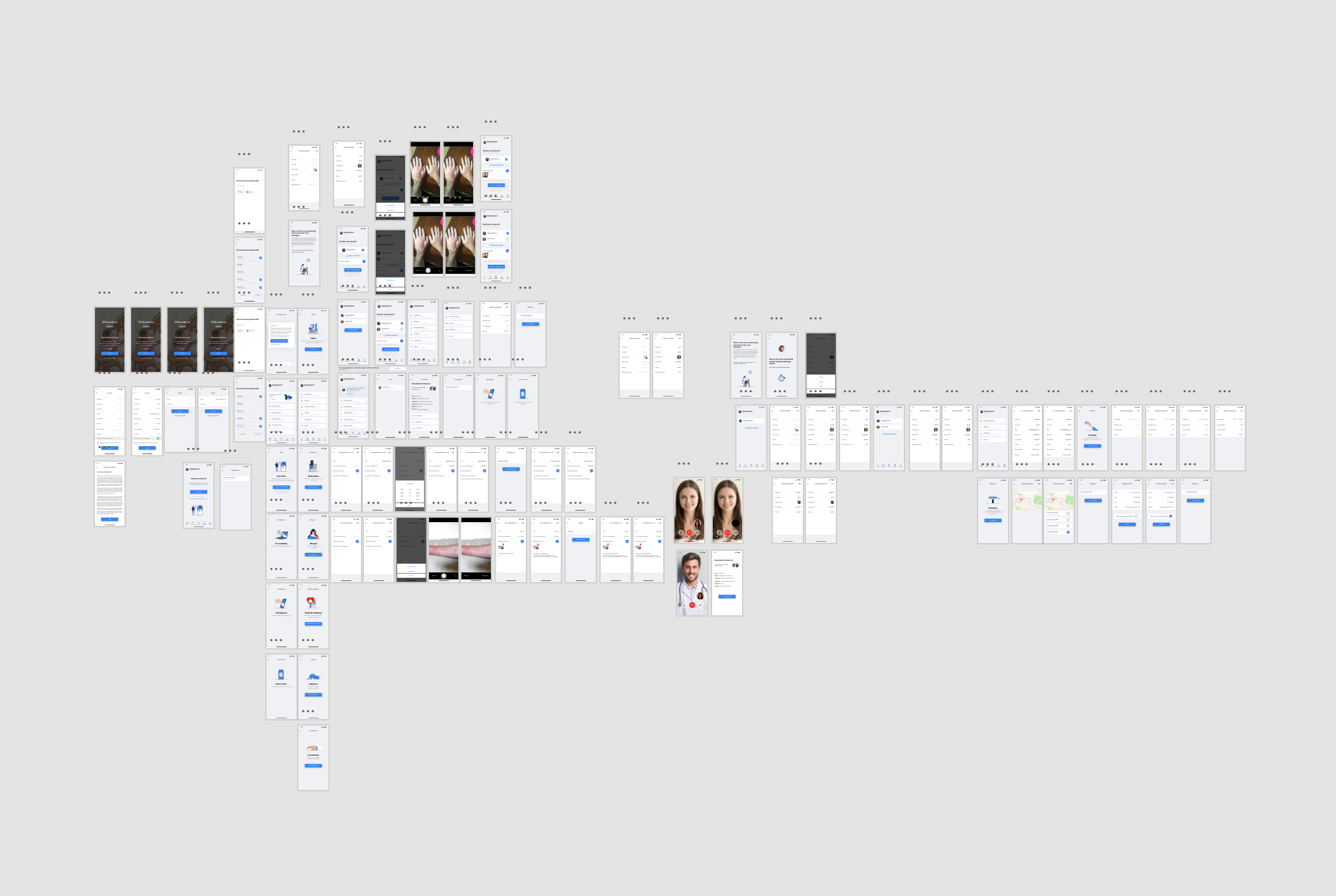
I worked on comprehensive design framework for myself to keep things easy to change and evolve as needed. This was achieved by creating components and typography guide in Adobe XD, which allowed me to make changes quickly from feedback rounds and be able to present an overall aesthetic change if needed.
User Interface
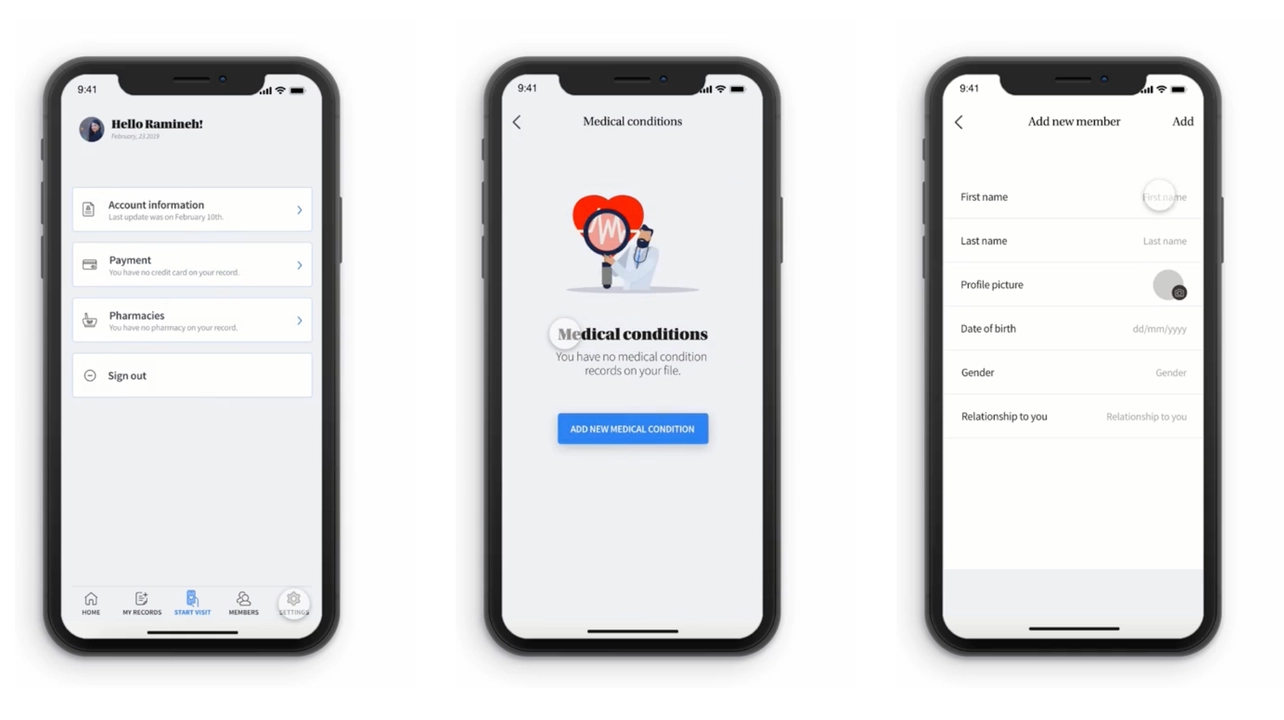
The final product concept was tested using an interactive prototype for both mobile and desktop version. Minor tweaks were made around the navigation and user flow to make it more intuitive.
Thank you for reading this. Click below to see a working prototype (if you have the password). 🔒